Time blocking that runs in parallel
Lay your day out on a timeline, overlap the tasks that can run together, and watch them count down on your Lock Screen.


iOS 26.2 or later. iPhone and iPad.
Plan
Build the plan by dragging
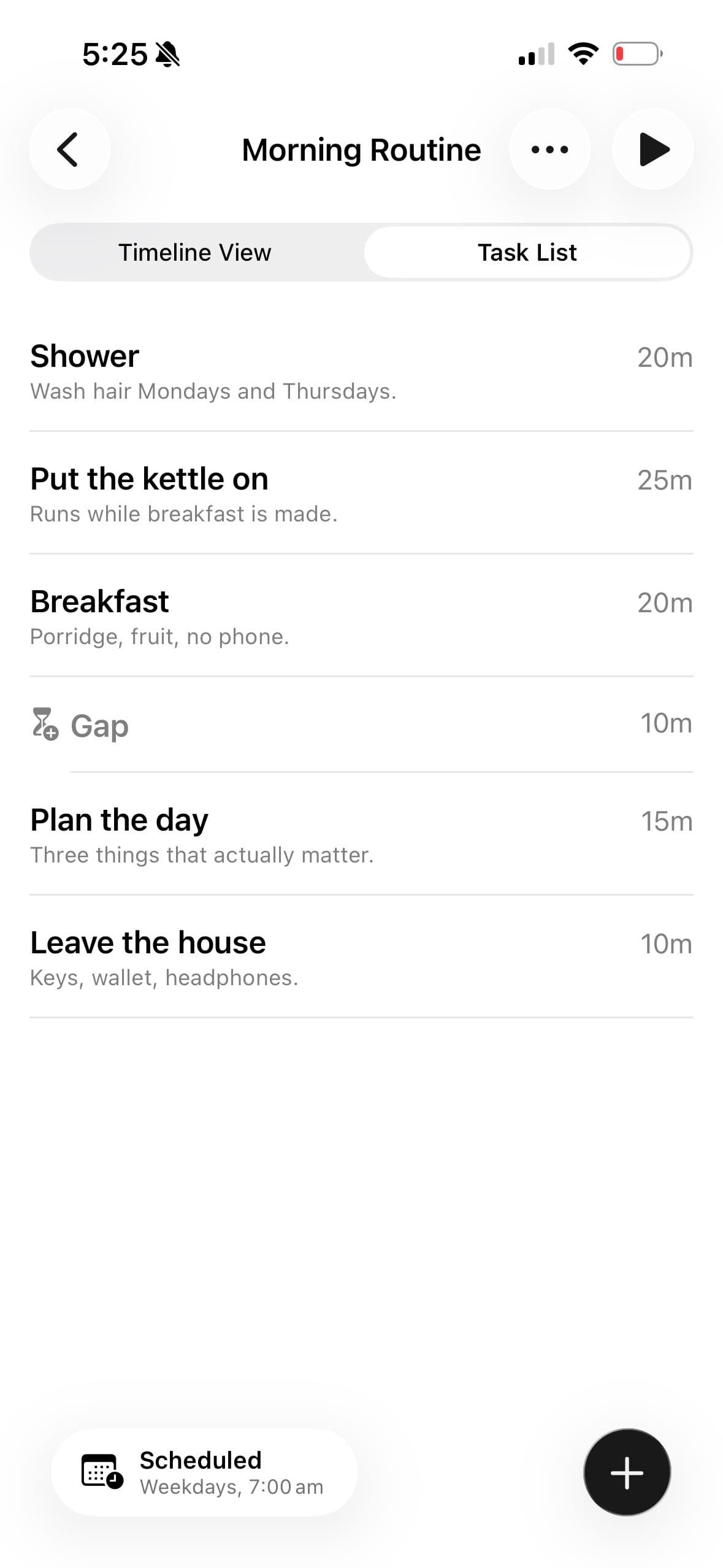
Give each task a name and a duration, then drag it into place. Drag an edge to change how long it runs. A daily routine planner you lay out by hand, not one that guesses for you.
- Add a note to a task for the details you would otherwise forget.
- Switch between the timeline and a plain task list at any time.
- Every task carries its duration, so the length of the plan is never a guess.
Parallel
Run tasks at the same time
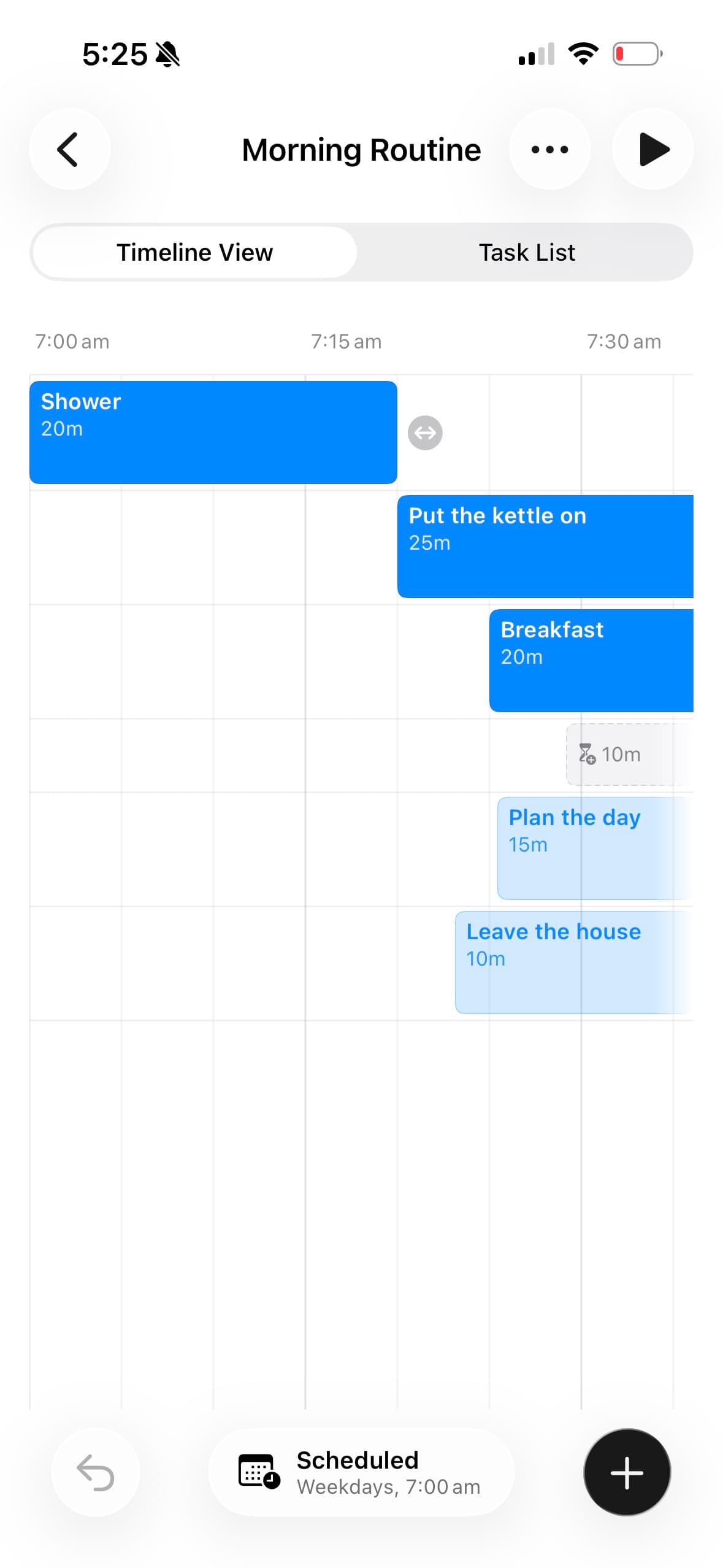
Bars can overlap. The kettle boils while you chop, and both count down together. Timeboxing without assuming you only do one thing at a time.
- Each task keeps its own row, so overlaps stay readable.
- Drag a bar sideways to move it, or drag its edge to resize it.
- The axis is real clock time, not an abstract grid.
Run
Keeps time with the app closed
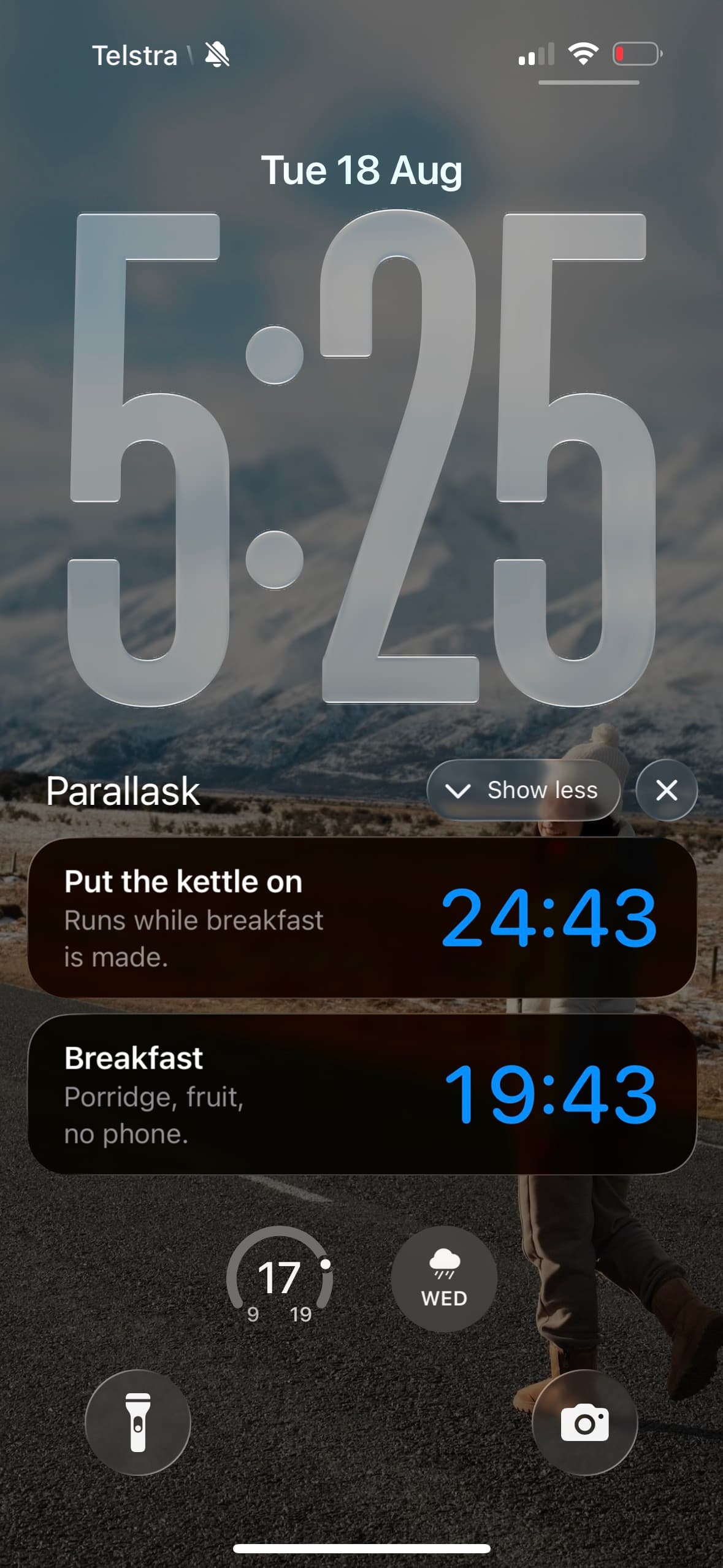
Starting a plan begins a session. It counts down on the Lock Screen and in the Dynamic Island as a Live Activity, so the running plan is readable without opening anything.
- More than one task can count down at once.
- Each shows its name, its note and the time left.
- iOS schedules all of it on the device. Nothing is sent to a server.
Schedule
Plans that start themselves
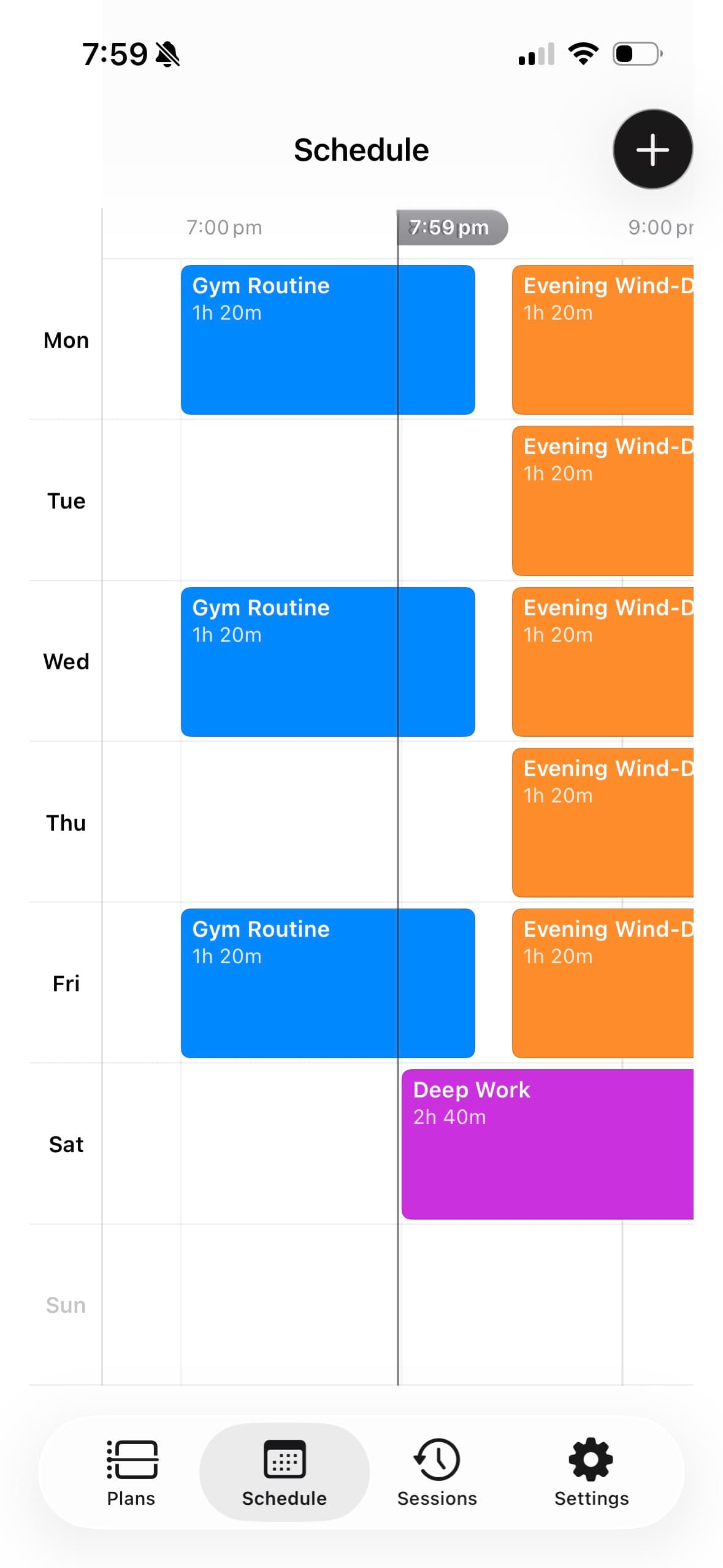
A plan can begin on its own at a set time on the weekdays you choose, without you opening the app that morning.
- The week view lays out everything set to run, Monday to Sunday.
- Colour tells one plan from another at a glance.
- Scheduled plans are part of Max.
History
A record of what actually happened
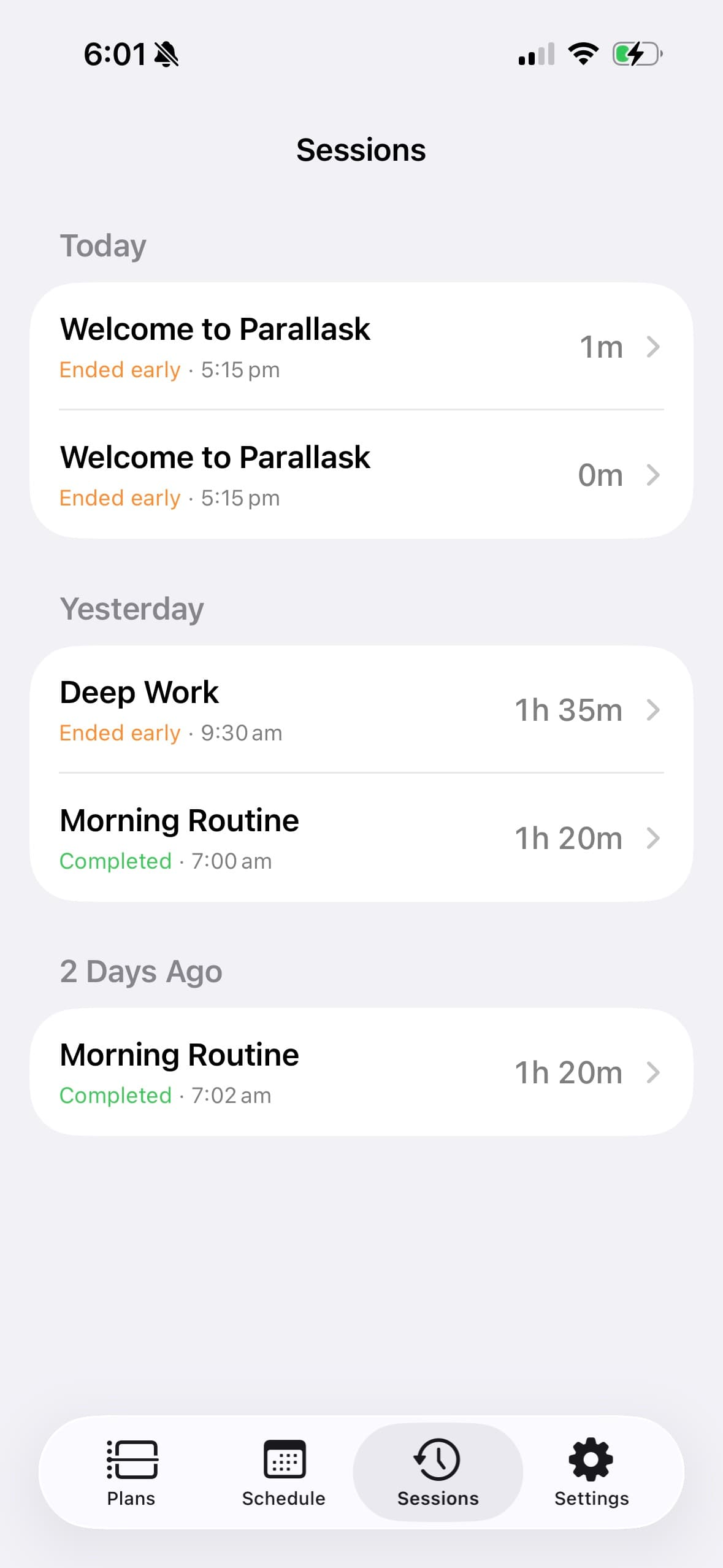
Every finished run is kept, grouped by day, with the time it started and how long it took.
- Each run is marked completed or ended early.
- The record is a snapshot of the plan as it ran, so editing the plan later does not rewrite it.
Nothing leaves your device
Plans, sessions and history are stored on your iPhone or iPad. Deleting the app deletes them.
Read the privacy policy- No account or sign-in
- No servers, so nothing to breach
- No analytics or tracking inside the app
Pricing
Free
No payment, no account.
- One plan of your own
- The five built-in label colours
- Starting sessions by hand
- No purchase
- US$0
Max
Everything in Free, plusSold through Apple.
- Unlimited plans
- The full colour palette
- Scheduled plans that start themselves
- Monthly
- US$2.99
- Annual, with a 7-day free trial
- US$14.99
- Lifetime, one payment
- US$39.99
If Max lapses, nothing you have already made is taken away — plans, colours and schedules all keep working. What stops is making new ones.
Subscriptions renew until cancelled, and are managed in your App Store account settings. See the terms of use.
Lay out tomorrow tonight
iOS 26.2 or later. iPhone and iPad.